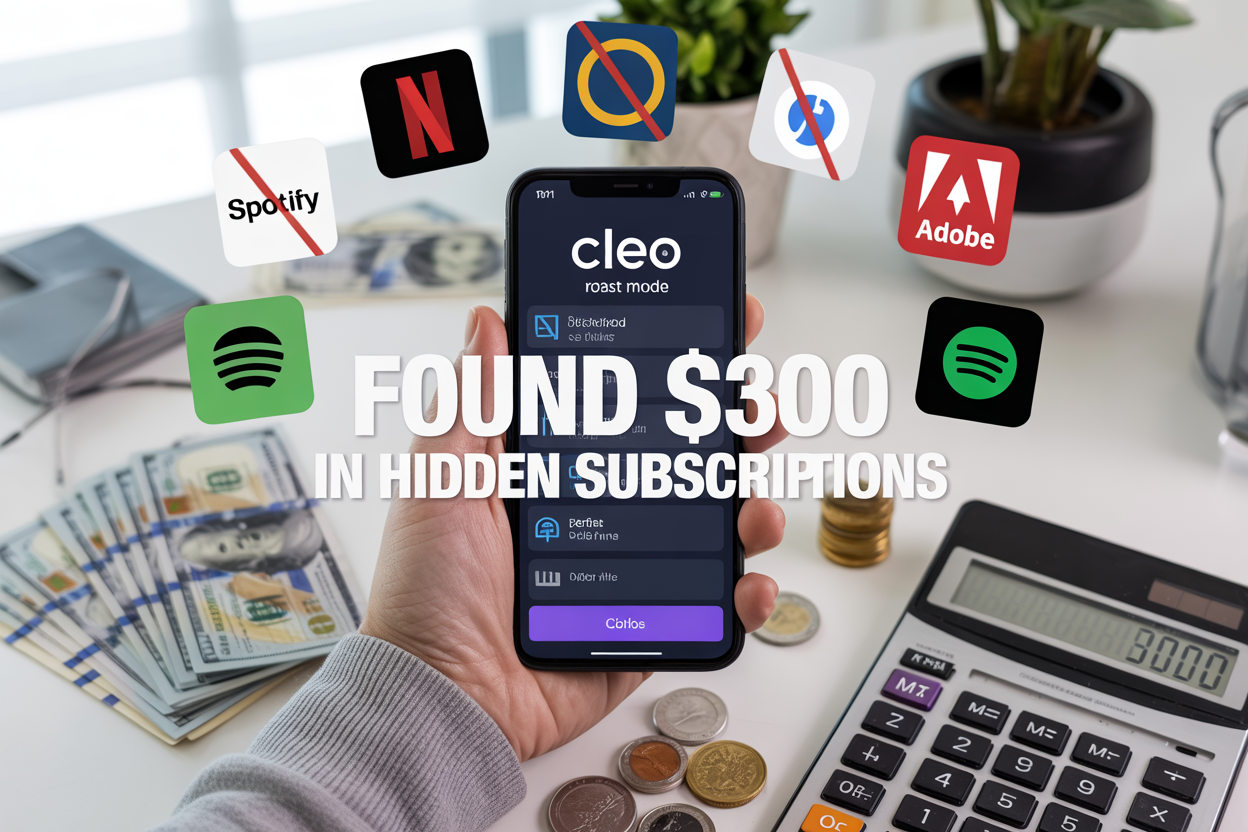
Hidden subscriptions drain your bank account every month, and Cleo’s “Roast Mode” promises to find them with brutal honesty. This AI-powered budgeting app recently helped me uncover $300 worth of forgotten subscriptions I didn’t even know I was paying for.
If you’re tired of mystery charges appearing on your credit card or wondering where your money disappears each month, this experiment is for you. Budget-conscious consumers, subscription service users, and anyone looking to take control of their finances will find actionable insights here.
I’ll walk you through exactly how Cleo’s Roast Mode works and share the shocking results of my week-long test. You’ll discover the specific hidden subscriptions that were bleeding my budget dry and learn proven strategies for canceling unwanted services without the hassle. I’ll also reveal the long-term money management lessons that emerged from letting an AI roast my spending habits.
What is Cleo’s ‘Roast Mode’ and How It Works
Understanding Cleo’s AI-powered financial assistant features
Cleo stands out in the crowded fintech space as an AI chatbot that connects to your bank accounts and credit cards to give you a complete picture of your financial life. Unlike traditional budgeting apps that simply categorize transactions, Cleo’s artificial intelligence actively learns your spending patterns and provides personalized insights through conversational interactions.
The app works by securely linking to your financial accounts through bank-grade encryption. Once connected, Cleo analyzes your transaction history, identifies spending trends, and creates a detailed map of where your money goes each month. The AI can spot everything from your morning coffee habit to subscription services you might have forgotten about.
What makes Cleo particularly powerful is its natural language processing capabilities. You can ask questions like “How much did I spend on food last month?” or “Show me all my recurring payments,” and the AI responds with detailed breakdowns and actionable insights. The platform also offers proactive notifications about unusual spending, upcoming bills, and potential savings opportunities.
How ‘Roast Mode’ analyzes your spending habits brutally
Roast Mode takes Cleo’s standard financial analysis and cranks up the honesty to uncomfortable levels. While regular mode delivers insights with gentle encouragement, Roast Mode serves up harsh truths about your money habits with zero sugar-coating.
When activated, this feature examines your spending data and delivers blunt assessments like “You spent $47 on coffee this week while crying about being broke” or “Your subscription to three different streaming services suggests commitment issues.” The AI doesn’t hold back on calling out financial inconsistencies and questionable purchasing decisions.
The brutal analysis extends beyond surface-level spending critiques. Roast Mode identifies patterns that reveal deeper financial behaviors, such as stress spending, impulse purchases during specific times of the day, or the tendency to sign up for services during promotional periods and forget about them. This harsh feedback often resonates more effectively than gentle suggestions because it forces users to confront uncomfortable truths about their money management.
Setting up the app for maximum subscription detection
Getting the most out of Cleo’s subscription hunting requires strategic setup. Start by connecting all your financial accounts, including checking accounts, savings accounts, and credit cards. The more complete your financial picture, the better Cleo can identify recurring charges hiding across different payment methods.
Enable notification permissions to receive real-time alerts about new subscriptions or unusual recurring charges. Set up spending categories that align with your lifestyle – if you’re a digital nomad, create categories for travel apps and co-working spaces. For families, include categories for children’s apps and educational platforms.
Fine-tune the detection sensitivity in your settings. Cleo can identify charges as small as $0.99 monthly, but you might want to focus on larger subscriptions first. The app also allows you to mark certain recurring charges as “essential” so they don’t appear in roast sessions about wasteful spending.
Review and update your connected accounts monthly. New credit cards, changed bank accounts, or additional payment methods can create blind spots where subscriptions hide. The app’s subscription radar works best when it has complete visibility into your financial ecosystem.
Key differences between regular mode and roast mode functionality
| Feature | Regular Mode | Roast Mode |
|---|---|---|
| Tone | Encouraging and supportive | Brutally honest and direct |
| Feedback Style | “You might consider reducing dining out” | “Stop pretending avocado toast is a food group” |
| Subscription Alerts | Gentle reminders about unused services | Sharp callouts about money-wasting habits |
| Spending Analysis | Constructive suggestions with positive framing | Unfiltered criticism with humor |
| Goal Setting | Motivational language and achievable targets | Tough love approach with reality checks |
Regular mode focuses on building positive financial habits through encouragement. It celebrates small wins, offers gentle course corrections, and maintains an optimistic outlook on your financial journey. This approach works well for users who respond better to positive reinforcement and need confidence building in their money management skills.
Roast Mode strips away the pleasantries and delivers financial truth bombs. It’s designed for people who need a wake-up call about their spending habits and respond well to direct, sometimes uncomfortable feedback. The harsh tone often creates memorable moments that stick with users longer than gentle suggestions, leading to more significant behavioral changes.
The subscription detection algorithms remain identical between both modes – what changes is how Cleo presents the findings and the urgency it places on taking action.
My Week-Long Experiment with Cleo’s Subscription Detection

Day-by-day breakdown of discoveries and surprises
Monday started innocently enough. I connected my bank accounts to Cleo and waited for the AI to work its magic. The first alert came within hours: “Hun, you’re paying $12.99 for Hulu AND Netflix? Pick a lane!” I laughed, thinking this would be easy. Little did I know this was just the appetizer.
Tuesday brought the real shock. Cleo discovered I was paying $9.99 monthly for Adobe Creative Suite – a subscription I signed up for during a creative phase two years ago and completely forgot about. The AI didn’t sugarcoat it: “You haven’t opened Photoshop in 847 days. That’s $240 you’ll never get back, babe.”
Wednesday got personal. The AI found three different music streaming services running simultaneously. Spotify, Apple Music, and Amazon Music Unlimited were all draining my account for $30 combined monthly. Cleo’s roast was merciless: “Are you trying to support the entire music industry single-handedly?”
By Thursday, I was dreading opening the app. That’s when Cleo uncovered the big one: a $39.99 monthly subscription to MasterClass I’d signed up for during a New Year’s resolution phase. The AI’s comment stung: “Gordon Ramsay’s cooking class won’t help if you keep ordering takeout five nights a week.”
Friday brought the final tally, and I sat staring at my phone in disbelief at how much money had been quietly slipping away each month.
How the AI identified forgotten streaming services and apps
Cleo’s detection system works like a digital bloodhound, sniffing out recurring charges that most people overlook. The AI analyzes transaction patterns, identifying payments that happen at regular intervals to the same merchants. What impressed me most was how it caught subscriptions I’d renamed in my mind.
That random $4.99 charge I vaguely remembered? Cleo identified it as Calm, the meditation app I downloaded during a stressful period at work. The AI cross-referenced the merchant name with a database of subscription services, providing instant clarity on what each charge actually represented.
The most clever discovery was how Cleo spotted my Disney+ subscription buried within a larger iTunes charge. Many people miss these because they appear as generic Apple payments rather than clearly labeled service fees. The AI broke down the bundled charge, showing exactly which services were included and their individual costs.
Cleo also caught trial subscriptions that had rolled into paid plans. A $7.99 charge for Canva Pro had been running for eight months – a “free trial” I’d forgotten to cancel. The AI helpfully provided the exact date I’d signed up and calculated how much the forgotten trial had cost me over time.
Uncovering gym memberships and software subscriptions I forgot about
The gym membership revelation was particularly embarrassing. Planet Fitness had been charging me $22.99 monthly for over a year, despite my last visit being in March 2023. Cleo’s analysis was brutal but accurate: “You’re paying $23 monthly to feel guilty about not working out. That’s $276 annually for self-imposed shame.”
Software subscriptions proved to be the biggest money drain. Beyond the Adobe suite, Cleo discovered I was paying for Grammarly Premium ($11.66/month), Notion Pro ($8/month), and Evernote Premium ($7.99/month). Each seemed reasonable individually, but together they represented $334 annually for productivity tools I barely used.
The most surprising find was a $19.99 monthly charge for Shopify. I’d started an online store idea two years ago, set up the basic plan, and completely forgot about it when the project fizzled out. Twenty dollars monthly for an empty digital storefront – Cleo called it “the most expensive bookmark ever.”
Cloud storage subscriptions were another hidden expense. I was simultaneously paying for Google Drive, Dropbox, and iCloud storage upgrades, totaling $23.97 monthly. The AI pointed out I was using less than 30% of my combined storage across all platforms.
The emotional rollercoaster of facing harsh financial truths
The first emotion was denial. Surely Cleo was wrong about some of these charges. I spent Tuesday evening logging into various accounts, hoping to prove the AI mistaken. Every login confirmed another forgotten subscription, each one a small punch to my financial ego.
Wednesday brought anger – not at Cleo, but at myself. How could I be so careless with money? The streaming services felt particularly stupid. Why was I paying for three music apps when I only used one? The anger was useful though; it motivated me to start canceling immediately.
Thursday was all about shame. Seeing the MasterClass subscription felt like looking at my abandoned New Year’s resolutions in dollar form. Every forgotten subscription represented some version of myself I’d wanted to become but never committed to being.
By Friday, acceptance settled in, mixed with genuine gratitude for Cleo’s harsh honesty. The AI had forced me to confront spending patterns I’d been unconsciously avoiding. Those automated payments had become invisible, which made them dangerous.
The weekend brought something unexpected: empowerment. Yes, I’d wasted money, but now I knew exactly where every dollar was going. Cleo hadn’t just found hidden subscriptions; it had given me back control of my financial life. The roasting hurt, but the clarity was worth every uncomfortable moment.
The $300 Discovery: Breaking Down My Hidden Subscriptions
Netflix, Spotify, and streaming services adding up quickly
My entertainment subscriptions hit me like a truck when Cleo laid them out. Netflix at $15.49, Spotify Premium at $10.99, Disney+ at $7.99, and HBO Max at $14.99 monthly. That’s already $49.46 before I even realized I was paying for Apple TV+ ($4.99) and Paramount+ ($9.99) that I hadn’t touched in months.
The real shock came when I discovered I was paying for both Hulu and Hulu + Live TV. Somehow, I’d upgraded to the $69.99 live TV package but never canceled my original $12.99 basic plan. That’s $82.98 monthly just for Hulu services I barely used.
Amazon Prime Video appeared as a separate $8.99 charge even though I have Prime membership. Turns out I’d subscribed to additional channels like Showtime ($10.99) and Starz ($9.99) during free trials and completely forgot about them.
Forgotten fitness and wellness app charges draining my account
The wellness category became my biggest source of subscription shame. MyFitnessPal Premium ($9.99), Headspace ($12.99), and Calm ($69.99 annually) were all charging me for features I’d used maybe twice since signing up during my New Year’s resolution phase.
Peloton Digital membership ($12.99) kept billing me even though I sold my bike six months ago. Nike Training Club Premium ($14.99) and Strava Summit ($59.99 annually) were double-dipping on my running analytics needs.
The worst offender was a meditation app called Insight Timer Plus at $99.99 yearly. I’d completely forgotten about this subscription from 2022, meaning I’d paid nearly $200 for an app I hadn’t opened in over a year.
Business software subscriptions running on autopilot
Professional tools created another expensive blind spot. Adobe Creative Cloud ($52.99 monthly) made sense for my freelance work, but I was also paying for Canva Pro ($14.99), Figma Professional ($12), and Sketch ($9 monthly) for design needs that Adobe already covered.
Grammarly Premium ($11.66 monthly) and ProWritingAid ($20 monthly) were both checking my grammar simultaneously. I had Zoom Pro ($14.99), Microsoft 365 ($6.99), and Google Workspace ($6 per user monthly) all running parallel productivity workflows.
The real kicker was discovering three different project management tools: Asana Premium ($10.99), Trello Business Class ($10 per user), and Monday.com Basic ($8 per seat monthly). Each seemed essential when I signed up, but I was only actively using one.
Small monthly charges that became massive annual expenses
Those seemingly harmless $2.99 and $4.99 monthly charges turned into budget vampires when I calculated their yearly impact. iCloud storage at $2.99 monthly equals $35.88 annually. Dropbox Plus at $9.99 monthly hits $119.88 yearly.
Password managers were another redundant category. I was paying for 1Password ($2.99 monthly), LastPass Premium ($3 monthly), and Bitwarden Premium ($10 annually) simultaneously. That’s over $80 yearly for password management when one service would suffice.
Even my coffee habit had a subscription component. Peet’s Coffee delivery service charged $19.95 monthly, plus Blue Bottle’s subscription at $24 every two weeks. These “convenience” services added up to nearly $600 annually.
How currency conversions masked international subscription costs
International subscriptions became the sneakiest budget drain because currency conversions obscured their true cost. A UK-based productivity app charging £7.99 monthly appeared as random $10.23 charges due to exchange rate fluctuations and foreign transaction fees.
Spotify charged me in Euros (€9.99) from when I’d signed up during a European trip, costing roughly $10.85 monthly instead of the $9.99 US rate. A meditation app from Australia billed in AUD, making it nearly impossible to track without converting currencies manually.
VPN services were particularly guilty of this practice. ExpressVPN charged in British pounds, NordVPN in Euros, and Surfshark in US dollars, creating three different currency conversions on my statement that made budgeting nearly impossible.
The worst part was bank fees. Each international charge triggered a $2.50 foreign transaction fee, meaning my £4.99 app subscription actually cost $8.75 monthly after conversion rates and banking fees.
Smart Strategies for Canceling Unwanted Subscriptions

Prioritizing which subscriptions to cancel immediately versus keep
Not every subscription deserves the same treatment. Start by creating three buckets: kill immediately, negotiate, and keep. The “kill immediately” pile should include duplicates (like having both Spotify and Apple Music), forgotten services you never use, and anything that makes you think “wait, I pay for that?”
Immediate cancellation candidates:
- Trial subscriptions you forgot about
- Duplicate services (multiple streaming platforms, cloud storage)
- Apps you haven’t opened in 3+ months
- Services that increased prices without adding value
For the “keep” pile, ask yourself: Would I sign up for this today at this price? If it’s something you use weekly and brings genuine value, it stays. Everything else goes into the negotiation pile.
Create a simple spreadsheet ranking each subscription by monthly cost versus actual usage. That $15 meditation app you used twice? Gone. Netflix that your whole family watches daily? Keeper.
Negotiating with service providers for better rates
Most people don’t realize that subscription prices aren’t set in stone. Customer retention departments have surprising flexibility, especially for long-term subscribers. The key is knowing how to ask and when to threaten cancellation (and mean it).
The cancellation conversation playbook:
- Call the cancellation department, not general customer service
- Mention you’re reviewing your budget and cutting expenses
- Ask about promotional rates or loyalty discounts
- Be prepared to actually cancel if they won’t budge
| Service Type | Success Rate | Common Offers |
|---|---|---|
| Cable/Internet | 80% | 20-40% discount for 6-12 months |
| Streaming | 50% | 2-3 months free, reduced rate |
| Software | 60% | Educational/nonprofit discounts |
| Gym memberships | 70% | Freeze account, reduced monthly fee |
Many companies offer “pause” options instead of full cancellation. This works great for seasonal services or when you’re traveling. Some streaming services let you pause for up to 12 months.
Using free trials strategically without getting trapped
Free trials are marketing hooks, but you can turn them into genuine money-savers with the right approach. The trick is treating them like actual trials, not extended free periods.
Set calendar reminders for 2-3 days before the trial ends, not on the last day. This gives you time to properly evaluate and cancel without rushing. Use a dedicated email address for trials to avoid cluttering your main inbox.
Trial management system:
- Use virtual credit cards or prepaid cards with low limits
- Set phone reminders, not just calendar alerts
- Download a trials tracking app (Truebill, Bobby, or Honey)
- Actually use the service during the trial period
Some services make cancellation deliberately difficult by hiding the option or requiring phone calls. Research the cancellation process before starting any trial. If it takes more than three clicks to cancel, consider whether you really need to try that service.
Setting up alerts to prevent future subscription surprises
Prevention beats cure when it comes to subscription creep. Your bank likely offers spending category alerts – set them up for entertainment, software, and recurring purchases. Anything over your normal threshold gets flagged.
Use your phone’s built-in spending tracking or apps like Mint to categorize subscription expenses automatically. Review these monthly, not quarterly – problems compound quickly.
Alert system setup:
- Bank alerts for transactions over $10 in entertainment/software categories
- Calendar reminders for annual subscriptions (often forgotten)
- Email filters that highlight subscription receipts
- Monthly “subscription audit” recurring task
Consider using a dedicated credit card for all subscriptions. This makes tracking easier and creates a natural spending limit. When the card hits your predetermined monthly subscription budget, you know it’s time to cut something.
Many subscription management apps offer real-time alerts when new charges appear. While some charge fees, they often pay for themselves by catching unwanted renewals early.
Long-Term Money Management Lessons from the Roast Mode Experience
Building monthly subscription audits into your financial routine
Think of subscription audits like oil changes for your car—boring but essential maintenance that prevents bigger problems down the road. Set a recurring calendar reminder for the first Sunday of each month, and treat it like any other appointment you can’t miss.
During your monthly audit, pull up your bank statements and credit card transactions from the past 30 days. Look for any recurring charges, even those tiny $2.99 fees that seem insignificant. Create a simple spreadsheet or use a note-taking app to list each subscription with its cost, renewal date, and last time you actually used the service.
The key is making this process as frictionless as possible. Spend 15-20 minutes max—any longer and you’ll start dreading it. Some people prefer doing this over their morning coffee, while others tackle it during their weekly meal prep. Find what works for your schedule and stick to it religiously.
Creating a subscription tracking system that actually works
Forget complicated budgeting apps that require a PhD to navigate. Your tracking system should be so simple that you can update it while watching TV. Start with three columns: Service Name, Monthly Cost, and Last Used Date.
Consider using a shared Google Sheet if you have a partner—transparency prevents duplicate subscriptions and those awkward “Wait, we’re paying for two Netflix accounts?” conversations. Color-code your subscriptions by category: red for entertainment, blue for productivity tools, green for fitness, and so on.
Set up email filters to automatically sort subscription receipts into a dedicated folder. This creates an instant backup system and makes your monthly audits faster. When renewal notices hit your inbox, you’ll immediately know which services are coming up for review.
Bank apps with spending categorization features can also be game-changers. Most major banks now automatically tag subscription payments, making it easy to spot recurring charges you might have forgotten about.
How to evaluate subscription value versus actual usage
Here’s where things get uncomfortable but necessary. For each subscription, ask yourself: “If I had to pay for this service again today, would I?” This simple question cuts through the sunk cost fallacy and forces honest evaluation.
Track your actual usage for services with built-in analytics. Spotify tells you your listening hours, Netflix shows viewing history, and most productivity apps provide usage stats. If you’re paying $15 monthly for a service you used twice, the math is pretty clear.
Create a “cost per use” calculation for subscriptions you’re unsure about. That $120 annual gym membership might seem expensive until you realize you go three times per week—that’s roughly $0.77 per workout. Meanwhile, that $9.99 meditation app you opened once in six months costs you nearly $60 per session.
Consider seasonal usage patterns too. Maybe you only use that meal planning service during busy work periods or that language learning app when you’re preparing for travel. Annual subscriptions might not make sense for these sporadic-use services.
Preventing subscription creep from happening again
The easiest way to avoid subscription creep is to make signing up slightly more difficult for future you. Remove saved payment methods from browsers and shopping apps—that extra step of entering your card details gives you time to think twice.
Implement a “24-hour rule” for any new subscription. When you find an interesting service, bookmark it and wait a full day before subscribing. You’ll be amazed how many “must-have” services lose their appeal after sleeping on it.
Use virtual credit cards or prepaid cards for free trials. Many banks now offer temporary card numbers that you can set with spending limits or expiration dates. This prevents forgotten trials from automatically converting to paid subscriptions.
Create a subscription budget and treat it like any other expense category. When you hit your monthly limit, you’re done—no exceptions. This forces you to prioritize and makes every new subscription a conscious trade-off against existing ones.
Finally, be ruthless about free trials that require credit card information. If a service won’t let you try it without payment details, that’s often a red flag about their confidence in the product quality.
Cleo’s Roast Mode proved to be more than just entertainment – it became my personal financial detective. The app’s blunt feedback helped me uncover $300 worth of subscriptions I’d completely forgotten about, from streaming services I never watched to software trials that automatically renewed. What started as curiosity about an AI’s sassy attitude turned into real savings and a wake-up call about my spending habits.
The experience taught me that sometimes we need someone (or something) to call out our bad money habits without sugar-coating the truth. Roast Mode doesn’t just find your hidden subscriptions; it forces you to face your financial reality head-on. If you’re tired of wondering where your money goes each month, give Cleo’s brutally honest approach a try. Your wallet might thank you for letting an AI roast your spending – even if your ego takes a small hit in the process.