Smart assistants have become our digital companions, but growing concerns about privacy make many wonder: are Siri, Alexa, or Gemini secretly listening to your most private conversations? This guide is for anyone who uses voice assistants and wants to understand what data these devices actually collect and how to protect their privacy.
You’ll discover how smart assistants process your voice commands behind the scenes and what really happens to your recordings. We’ll break down the privacy policies from Apple, Amazon, and Google so you know exactly what each company collects about you. Finally, you’ll learn the essential privacy settings you need to change right now to take back control of your personal data and keep your conversations truly private.
How Smart Assistants Actually Process Your Voice Commands
The Always-On Listening Technology Behind Wake Words
Smart assistants use a clever two-stage listening system that’s constantly running in the background. Your device continuously monitors audio through a small, dedicated chip that only recognizes specific wake words like “Hey Siri,” “Alexa,” or “Hey Google.” This local processing chip runs simple pattern recognition algorithms that can detect these trigger phrases without sending any data to company servers.
The magic happens through digital signal processing that analyzes acoustic patterns, frequency ranges, and phonetic structures unique to each wake word. Your device stores a mathematical representation of these wake words locally, comparing incoming audio against these stored patterns thousands of times per second. When a match occurs above a certain confidence threshold, the system activates the full voice assistant.
This always-on listening doesn’t mean companies are recording everything you say. The local wake word detection chip has extremely limited processing power and can only recognize those specific trigger phrases. Everything else gets discarded immediately without being stored or transmitted anywhere.
What Happens to Your Audio After You Say “Hey Siri” or “Alexa”
Once your device detects a wake word, the real voice processing begins. Your smart assistant starts recording everything you say after the trigger phrase, capturing your complete voice command or question. This audio gets packaged with a unique identifier and timestamp before being encrypted and sent to the company’s cloud servers.
The transmission happens almost instantly through your internet connection. Your device continues recording until it detects a natural pause or you stop speaking. Some assistants also listen for follow-up questions or commands for several seconds after responding to your initial request.
During this active listening phase, your voice data travels through multiple security layers. The audio gets compressed and encrypted using advanced protocols that protect it during transmission. Each company uses different encryption standards, but they all employ military-grade security measures to prevent interception.
Your device also sends contextual information along with the audio, including your location (if enabled), the time of day, and which device made the request. This metadata helps the assistant provide more relevant responses and improve accuracy.
Cloud Processing vs Local Device Analysis
Most voice processing happens in massive data centers rather than on your device. Cloud servers have vastly more computational power than the small chips in smart speakers or phones, allowing them to run sophisticated machine learning models that understand natural language, context, and intent.
When your voice data reaches the cloud, it gets analyzed by neural networks trained on millions of voice samples. These systems can handle accents, background noise, multiple languages, and complex sentence structures that would overwhelm local processing capabilities. The cloud also provides access to real-time information like weather, traffic, or search results.
However, some companies are shifting toward hybrid processing models. Apple processes many Siri requests directly on your iPhone or HomePod using their dedicated neural engine chips. Google Assistant can handle basic commands locally on Pixel phones and Nest devices. Amazon has introduced edge computing features that process simple Alexa commands without cloud connectivity.
Local processing offers significant privacy advantages since your voice never leaves your device for basic commands. It’s also faster since there’s no internet latency, and it works even when you’re offline. But complex requests still require cloud processing for accurate results.
| Processing Type | Advantages | Limitations |
|---|---|---|
| Cloud | Advanced AI capabilities, access to real-time data, handles complex queries | Requires internet, privacy concerns, latency |
| Local | Better privacy, works offline, faster response | Limited functionality, can’t access online services |
How Long Voice Data Stays in Company Servers
Each company has different data retention policies that determine how long they keep your voice recordings. Amazon stores Alexa recordings indefinitely by default until you manually delete them through your account settings. You can configure automatic deletion after 3 months, 18 months, or choose to save recordings until you delete them.
Apple takes a more privacy-focused approach with Siri data. They delete most voice recordings shortly after processing them, typically within a few months. Apple also uses random identifiers instead of linking recordings directly to your Apple ID, making it harder to connect voice data to your personal information.
Google keeps your voice interactions for up to 18 months by default, but you can change this setting to auto-delete after 3 months or turn off saving entirely. They also provide detailed activity controls that let you review and delete specific voice recordings.
The retention period affects more than just storage space. Companies use this historical voice data to improve their AI models, understand usage patterns, and develop new features. Longer retention periods mean more comprehensive data for machine learning, but they also create larger privacy risks if that data gets breached or misused.
Most companies now offer granular controls that let you delete voice recordings immediately after processing, though this might reduce the assistant’s ability to learn your preferences and speaking patterns. You can also download copies of your voice data to see exactly what these companies have collected over time.
Privacy Policies Decoded: What Siri, Alexa, and Gemini Really Collect

Apple’s Data Collection and Retention Practices for Siri
Apple positions itself as the privacy-first tech giant, but Siri still collects more data than you might expect. When you activate Siri, your voice requests get converted into anonymous identifiers that Apple claims can’t be traced back to you personally. The company stores these voice snippets for up to six months to improve speech recognition, then keeps computer-generated transcripts for up to two years.
What makes Apple different is their on-device processing approach. Many Siri requests get handled directly on your iPhone or iPad without sending data to Apple’s servers. This includes basic tasks like setting timers, playing music, or controlling smart home devices. However, complex queries about weather, web searches, or requests requiring internet connectivity still go through Apple’s servers.
Apple’s privacy policy reveals they collect device information, location data when relevant to your request, and interaction patterns with Siri. They also gather data about which apps you use with Siri and how often you make voice requests. The company insists this data gets anonymized through differential privacy techniques, making it nearly impossible to identify individual users.
Amazon’s Voice Recording Storage and Usage Policies
Amazon takes a vastly different approach with Alexa, storing voice recordings indefinitely by default. Every “Hey Alexa” command gets saved to your Amazon account unless you manually delete recordings or change your privacy settings. Amazon uses these recordings to train their machine learning models and improve Alexa’s responses across all users.
The company’s privacy policy shows they collect not just your voice commands, but also ambient audio before and after the wake word detection. This means Alexa might capture conversations happening near your device even when you’re not directly speaking to it. Amazon argues this helps improve wake word accuracy, but privacy advocates worry about accidental recordings of private conversations.
Amazon also shares voice data with third-party skill developers when you interact with their services. If you order pizza through an Alexa skill, both Amazon and the pizza company receive recordings of your voice interaction. The company maintains detailed profiles of your interests, shopping habits, and daily routines based on your Alexa interactions.
Google’s Gemini Privacy Framework and Data Sharing
Google’s approach to Gemini privacy reflects their broader data collection philosophy – gather everything to provide better services. When you use Gemini through Google Assistant or other Google services, your voice interactions become part of your comprehensive Google profile, linking to your search history, location data, and app usage patterns.
Google stores voice recordings for up to 18 months but allows users to delete them manually or set up automatic deletion schedules. The company uses your Gemini interactions to personalize ads across all Google services, including YouTube, Gmail, and Google Search. This creates detailed behavioral profiles that advertisers pay premium rates to access.
The integration between Gemini and other Google services means your voice commands can influence recommendations and ads across the entire Google ecosystem. Ask Gemini about vacation destinations, and you’ll likely see travel ads in your Gmail sidebar within hours. Google’s privacy dashboard shows the extensive data sharing between their various services, including Gemini interactions.
Hidden Data Points Beyond Voice Recordings
Smart assistants collect far more than just voice recordings. They track when you use voice commands, how long you speak, background noise levels, and even failed activation attempts. This metadata reveals patterns about your daily routine, sleep schedule, and who else might be in your home.
Device sensors provide additional data streams. Accelerometers can detect if you’re walking while talking, cameras might activate during certain interactions, and microphones pick up environmental audio that helps identify your location within your home. Some assistants analyze vocal stress patterns, speech cadence, and emotional tone to better understand your requests.
Network data reveals which devices connect to your home WiFi, what smart home gadgets you control through voice commands, and how frequently you interact with different services. Location services track where you make voice requests, building detailed maps of your movements and daily routines.
Third-Party App Integration and Data Sharing Risks
The real privacy risks often come from third-party integrations. Alexa Skills, Siri Shortcuts, and Google Actions can access your voice recordings and personal data based on permissions you grant. Many users don’t realize that installing a weather skill might give that company access to your location history and voice interaction patterns.
Food delivery apps, smart home device manufacturers, and entertainment services all request extensive permissions when integrating with voice assistants. These companies often have less stringent privacy policies than major tech platforms, creating additional vulnerabilities for your personal data.
Cross-platform data sharing creates the biggest privacy concerns. When you use Spotify through Alexa, both Amazon and Spotify receive your voice data and usage patterns. Social media integrations can share your voice interactions with platforms like Facebook and Twitter, expanding the reach of your personal information far beyond the original assistant provider.
Data broker networks purchase voice interaction data from various sources, creating comprehensive profiles that get sold to marketing companies, insurance providers, and other third parties. Your casual voice commands might influence credit scores, insurance rates, or employment opportunities through these complex data sharing arrangements.
Real Privacy Breaches and Listening Incidents That Made Headlines

Documented Cases of Accidental Recordings
Amazon’s Alexa made major headlines in 2018 when it recorded a private conversation between a couple in Portland and sent the audio file to someone in their contact list. The device had misinterpreted background noise as wake words, activated recording, and then mistook subsequent conversation fragments as commands to send the recording. Amazon confirmed the incident but called it an “extremely rare occurrence.”
Google Assistant faced similar scrutiny when users discovered their devices were recording conversations without the wake phrase being spoken. In one widely reported case from 2019, a user found over 3,000 recordings on their Google account, including intimate conversations that occurred when no one had said “Hey Google.” The recordings captured everything from private phone calls to bedroom conversations.
Apple’s Siri encountered its own accidental recording controversy when users reported unexpected activations. The most concerning cases involved Siri activating during confidential business meetings and medical appointments. In several instances, professionals discovered their sensitive client discussions had been recorded and stored on Apple’s servers without their knowledge.
These incidents reveal a pattern: smart assistants can misinterpret everyday sounds as activation commands. Door slams, TV shows, and even normal conversation can trigger recording. The companies involved typically attribute these events to acoustic anomalies, but the frequency of reports suggests the technology struggles with real-world audio environments more than manufacturers admit.
Employee Listening Programs at Major Tech Companies
Major tech companies have employed thousands of contractors and employees to listen to user recordings, often without explicit user consent. Amazon’s listening program, exposed in 2019, involved teams of workers reviewing Alexa recordings to improve the AI’s understanding. These employees heard everything from business meetings to children’s voices to intimate moments between couples.
Google’s review program came under fire when a whistleblower leaked over 1,000 private recordings to Belgian news outlet VRT. The leaked audio included recordings of domestic violence, medical conversations, and other deeply personal moments. Google contractors were tasked with transcribing these recordings, and many expressed discomfort with the intimate content they regularly encountered.
Apple initially claimed that Siri recordings were processed entirely by machines, but Bloomberg revealed in 2019 that contractors regularly listened to recordings to grade Siri’s performance. These workers heard drug deals, medical information, and sexual encounters. Apple contractors reported that a significant portion of Siri activations appeared to be accidental, meaning people had no idea their private moments were being reviewed by strangers.
The scope of these programs was massive. Amazon employed thousands of workers across multiple countries, processing millions of recordings daily. Google’s program involved contractors in several languages, handling recordings from around the world. Apple’s program, while smaller, still processed thousands of recordings monthly before public pressure forced changes.
Data Breaches Exposing Private Conversations
The Verkada breach in 2021 affected multiple smart device manufacturers and exposed how interconnected privacy vulnerabilities can be. Hackers gained access to security cameras, smart speakers, and other IoT devices, potentially accessing stored voice recordings and video feeds from private homes and businesses.
Amazon faced a significant security incident when a coding error allowed Alexa users to access other people’s voice recordings through the Alexa app. Users reported hearing strangers’ conversations, shopping lists, and personal discussions. While Amazon quickly patched the vulnerability, the incident highlighted how easily voice data could be misdirected.
Google experienced a breach affecting its Nest devices when unauthorized users gained access to smart speakers and cameras in people’s homes. In several reported cases, strangers spoke through the devices, played loud music, and in one particularly disturbing incident, claimed to be watching families through their cameras.
The Ring doorbell breaches revealed how voice recordings could be weaponized by malicious actors. Hackers accessed Ring devices and used the two-way audio feature to harass families, often using information gleaned from previous recordings to make their intrusions more personal and threatening.
Third-party app vulnerabilities have also exposed voice data. When fitness tracking apps, smart home platforms, and voice-controlled services experience breaches, they often expose not just text data but also voice recordings stored in the cloud. These breaches frequently go unreported for months, leaving users unaware that their private conversations may have been accessed by unauthorized parties.
Technical Security Measures Each Assistant Uses to Protect Your Privacy

Encryption Standards for Voice Data Transmission
Modern smart assistants employ military-grade encryption protocols to safeguard voice data during transmission. Siri uses AES-256 encryption with perfect forward secrecy, meaning each session generates unique encryption keys that become useless if compromised. Apple’s approach includes transport layer security (TLS) 1.3, creating multiple layers of protection between your device and their servers.
Alexa implements similar AES-256 encryption but adds Amazon’s proprietary security protocols. Voice recordings travel through encrypted tunnels using HTTPS connections with certificate pinning, preventing man-in-the-middle attacks. Google’s Gemini takes a hybrid approach, combining standard encryption with their Advanced Protection Program standards, typically reserved for high-risk users.
| Assistant | Encryption Standard | Additional Protocols |
|---|---|---|
| Siri | AES-256, TLS 1.3 | Perfect Forward Secrecy |
| Alexa | AES-256, HTTPS | Certificate Pinning |
| Gemini | AES-256, TLS 1.3 | Advanced Protection Standards |
Anonymous Data Processing and User ID Protection
Each assistant handles user identification differently to protect privacy. Apple’s Siri generates random identifiers that rotate every six months, disconnecting voice data from personal accounts. The company processes requests through differential privacy techniques, adding mathematical noise to datasets while maintaining functionality.
Amazon assigns temporary session tokens to Alexa interactions, though these can be linked back to user accounts for personalization. The company anonymizes bulk data analysis by removing direct identifiers, but metadata patterns could potentially reveal user habits.
Google’s Gemini offers the most granular control, allowing users to completely disable voice storage or auto-delete recordings after 3, 18, or 36 months. Their federated learning approach processes data locally when possible, only sending aggregated insights to servers rather than raw voice files.
On-Device Processing Capabilities and Limitations
Recent advances have pushed more processing power directly onto user devices, reducing cloud dependencies. Apple’s Neural Engine in newer iPhones handles basic Siri requests entirely on-device, including setting timers, controlling music, and managing notes. This local processing means voice data never leaves your phone for simple commands.
Amazon’s Edge AI capabilities vary by device generation. Echo Dot devices (4th gen and newer) can process basic requests locally, while complex queries still require cloud processing. The company continuously expands on-device vocabulary, currently supporting over 100 common commands without internet connectivity.
Google’s on-device processing leads the pack with their Pixel phones running a compressed version of their speech recognition models locally. Gemini can handle natural language processing, translation, and even some search queries without sending data to Google’s servers.
Current limitations include:
- Limited vocabulary for complex requests
- Reduced accuracy compared to cloud processing
- Higher battery consumption during intensive tasks
- Older devices lack necessary processing power
Regular Security Updates and Vulnerability Patches
Security maintenance varies significantly across platforms. Apple releases Siri updates through iOS system updates, typically every 2-3 months with critical patches deployed within days of discovery. Their bug bounty program offers up to $1 million for voice assistant vulnerabilities, encouraging responsible disclosure.
Amazon pushes Alexa updates automatically to Echo devices, usually weekly for minor improvements and immediately for security fixes. However, third-party Alexa-enabled devices depend on manufacturer update schedules, creating potential security gaps in the ecosystem.
Google updates Gemini through Play Services, allowing real-time security patches without full system updates. This approach enables faster vulnerability responses, often within 24-48 hours of identification. Their Project Zero team actively hunts for zero-day exploits across all platforms, not just Google products.
Recent security improvements include voice authentication enhancements, preventing unauthorized access through voice spoofing attacks. All three assistants now implement speaker recognition technology that can distinguish between different users and potential intruders attempting to mimic authorized voices.
Take Control: Essential Privacy Settings You Must Configure Today
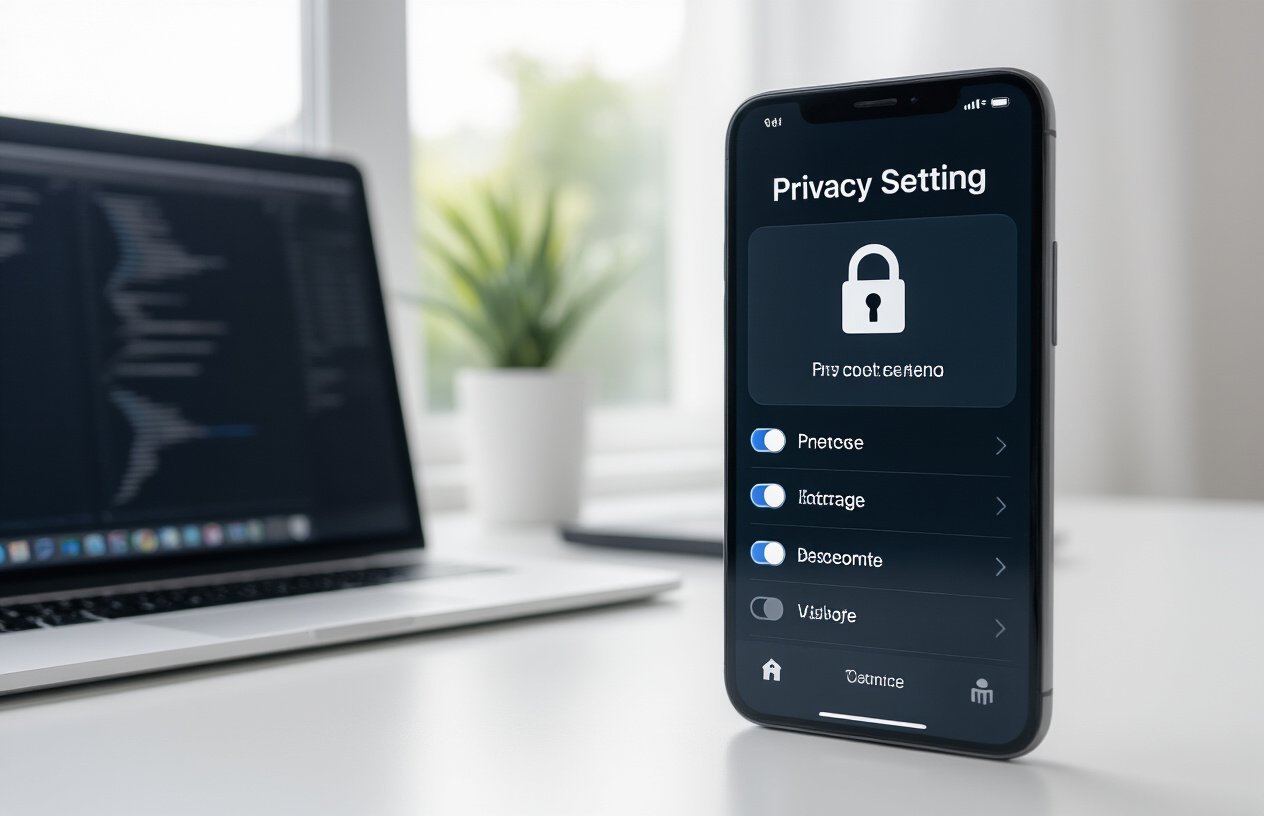
Disable Always-On Listening and Adjust Wake Word Sensitivity
Your smart assistant doesn’t need to be constantly listening for every whisper in your home. Most people don’t realize they can turn off the always-on feature and still use their device effectively through manual activation.
For Siri users: Head to Settings > Siri & Search and toggle off “Listen for ‘Hey Siri'” on your iPhone or iPad. On HomePod, open the Home app, long-press your HomePod, tap Settings, and turn off “Listen for ‘Hey Siri’.” You can still activate Siri by pressing and holding the side button on your device.
For Alexa users: Open the Alexa app, go to Settings > Device Settings, select your Echo device, and disable the wake word. Alternatively, press the microphone button on top of your Echo to mute it completely – the red ring indicates it’s not listening.
For Google Assistant: Say “Hey Google, turn off Hey Google” or go to Google app > Settings > Voice > Voice Match and disable “Hey Google.” You can also adjust sensitivity levels to prevent accidental activations.
If you prefer keeping voice activation, reduce sensitivity settings so your assistant won’t respond to conversations that merely contain similar-sounding words. This prevents accidental recordings while maintaining convenience.
Delete Your Voice History and Prevent Future Storage
Your voice recordings pile up quickly, creating a detailed audio diary of your life. Smart assistants store these recordings to improve their services, but you control what stays and what goes.
Siri Recordings: Apple stores Siri interactions for up to two years by default. Go to Settings > Privacy & Security > Analytics & Improvements > Improve Siri & Dictation and turn this off. Apple doesn’t provide a way to delete existing Siri recordings, but disabling this prevents future storage.
Alexa Voice History: Amazon keeps your recordings indefinitely unless you delete them. In the Alexa app, go to Settings > Privacy > Review Voice History to delete individual recordings or all recordings. Set up automatic deletion by going to Settings > Privacy > Manage Your Data and choosing to automatically delete recordings after 3 or 18 months.
Google Assistant History: Google stores your voice interactions in your Google Account. Visit myactivity.google.com, filter by “Voice & Audio,” and delete recordings manually or set up auto-delete for 3, 18, or 36 months. You can also say “Hey Google, delete what I just said” to remove the most recent interaction immediately.
Turn off voice storage entirely by disabling “Voice & Audio Activity” in your Google Account settings. This prevents Google from saving future voice interactions but may reduce the assistant’s effectiveness.
Limit Third-Party App Access to Your Assistant
Third-party skills and actions extend your assistant’s capabilities but also create new privacy vulnerabilities. Each connected service can potentially access your voice data and personal information.
Reviewing Connected Skills: In the Alexa app, tap “More” > “Skills & Games” > “Your Skills” to see all installed skills. Delete unused ones and review permissions for each remaining skill. Some skills can access your location, purchase history, or even make purchases on your behalf.
Google Actions Management: Open the Google Home app, tap your profile, go to “Assistant settings” > “Services” to review connected actions and services. Remove any you don’t actively use and check what data each service can access.
Siri App Integration: iOS apps can integrate with Siri through shortcuts and SiriKit. Go to Settings > Siri & Search to see which apps have access and can suggest actions. Disable Siri integration for apps containing sensitive information.
Create a monthly review routine where you audit connected services. Many people install skills during setup or experimentation but forget to remove them later. Each unnecessary connection is a potential security risk.
Review and Revoke Data Sharing Permissions
Smart assistants share your data with various partners, advertisers, and service providers. Understanding and controlling these data flows protects your privacy across the entire ecosystem.
Amazon’s Data Sharing: In your Amazon account, visit “Privacy Settings” to control how Alexa shares your data. Turn off “Use of Voice Recordings” to prevent Amazon from using your recordings to improve services for other users. Disable “Messages, Announcements, and Invitations” if you don’t want marketing communications.
Google’s Data Controls: Visit privacy.google.com to access comprehensive privacy controls. Turn off “Web & App Activity” to stop Google from associating your assistant usage with your broader Google activity. Disable “Ad Personalization” to prevent your voice interactions from influencing targeted advertising.
Apple’s Privacy Settings: Apple shares less data by default, but review Settings > Privacy & Security > Analytics & Improvements. Turn off “Share iPhone Analytics” and “Share iCloud Analytics” to prevent usage data from being shared with Apple.
Check what data brokers know about you by searching your name on sites like Spokeo, WhitePages, and PeopleFinder. Many collect smart home usage patterns from various sources.
Set Up Voice Recognition to Prevent Unauthorized Access
Voice recognition adds a security layer by ensuring only authorized users can access personal information and perform sensitive actions through your assistant.
Configuring Voice Profiles: Train your assistant to recognize your voice specifically. In Google Home, tap your profile > “Assistant settings” > “Voice Match” and retrain your voice model. For Alexa, go to Settings > Account Settings > Recognized Voices and set up your voice profile.
Restricting Personal Results: Configure your assistant to only provide personal information when it recognizes your voice. Google Assistant allows you to require voice match for calendar events, reminders, and shopping lists. Alexa’s Voice Purchasing can be restricted to recognized voices only.
Guest Mode Settings: Enable guest modes when possible to prevent visitors from accessing your personal information. Google Assistant’s Guest Mode temporarily disables personalized results, while Alexa’s Drop In feature can be restricted to specific contacts.
Consider the physical security of your devices too. Place smart displays and speakers away from windows where voice commands could be shouted from outside. Some users have reported neighbors accidentally triggering their devices through thin walls or open windows.

All three smart assistants collect your voice data, but they handle your privacy very differently. Siri processes most commands on your device and stores less personal information, while Alexa and Gemini rely more heavily on cloud processing and data collection. The good news is that major privacy breaches are rare, and each company has built solid security measures to protect your conversations from hackers and unauthorized access.
Your privacy isn’t completely out of your control. Simple changes like turning off voice purchasing, deleting stored recordings regularly, and adjusting your wake word sensitivity can make a huge difference. Review your privacy settings today and decide which assistant aligns best with your comfort level. Remember, you can always mute these devices when you want complete privacy, and most importantly, you have the power to choose how much access you’re willing to give up for convenience.