Travel content creators, social media influencers, and vacation enthusiasts are about to discover a game-changing text-to-video AI tool that turns simple descriptions into professional-looking vacation films in just one minute. No more spending hours learning complex video editing software or hiring expensive videographers to capture your travel memories.
This powerful AI technology is perfect for Instagram creators who want to stand out, travel bloggers looking to engage their audience, and anyone who wants to transform their vacation photos and ideas into cinematic content without breaking the bank.
We’ll walk you through how this revolutionary text-to-video AI actually works and show you real examples of stunning vacation films created by everyday travelers. You’ll also get insider tips on writing the perfect prompts to make your AI-generated videos look like they were shot by a professional filmmaker.
Revolutionary Text-to-Video AI Technology Transforms Travel Content Creation
How AI generates professional vacation films from simple text descriptions
Text-to-video AI technology works by interpreting your written descriptions and transforming them into compelling visual narratives. When you input a simple prompt like “sunny beach vacation with palm trees and turquoise water,” the AI processes this text through sophisticated neural networks that understand visual concepts and their relationships.
The system breaks down your description into visual components – subjects, settings, lighting, camera movements, and mood. It then generates video sequences that match these elements, creating smooth transitions between scenes. The AI draws from massive datasets of existing footage to understand how real-world elements should look and behave in video format.
What makes this particularly powerful for vacation content is the AI’s ability to add cinematic flair automatically. Your basic description becomes enhanced with professional camera angles, color grading that enhances the vacation mood, and seamless scene transitions that would normally require hours of manual editing.
The technology also incorporates temporal understanding, meaning it knows how scenes should flow together chronologically. A beach sunset description will naturally progress from golden hour lighting to deeper twilight tones, creating that perfect vacation film aesthetic without any technical input from you.
Advanced algorithms that understand travel contexts and scenes
Modern text-to-video AI systems have been specifically trained to recognize travel and vacation-related contexts with remarkable accuracy. These algorithms understand the visual language of different destinations – from tropical beaches to mountain landscapes to urban cityscapes.
The AI recognizes cultural and geographical markers that make each location unique. When you mention “Italian countryside,” the system automatically incorporates rolling hills, vineyards, stone architecture, and that distinctive Mediterranean lighting that defines the region. Similarly, “Tokyo street scene” triggers urban elements like neon signs, busy crosswalks, and modern architecture mixed with traditional elements.
Travel-specific algorithms also understand seasonal contexts and time-of-day implications. A “winter ski trip” description will generate snowy mountain scenes with appropriate lighting and weather conditions, while “tropical sunset” creates warm, golden-hour imagery with palm trees and ocean views.
The sophistication extends to understanding human activities within travel contexts. The AI recognizes vacation behaviors and can generate scenes of people relaxing on beaches, exploring markets, or enjoying outdoor adventures based on your text descriptions. This contextual awareness ensures your generated vacation film feels authentic and captures the essence of real travel experiences.
Speed advantages over traditional video editing methods
Creating professional vacation videos traditionally requires significant time investment – often 10-20 hours for a polished 5-minute film. This includes importing footage, organizing clips, color correction, adding transitions, background music, and rendering. Text-to-video AI compresses this entire workflow into 60 seconds or less.
The speed advantage becomes even more dramatic when you consider the learning curve involved in traditional video editing. Professional software like Adobe Premiere Pro or Final Cut Pro requires months to master, while AI tools require no prior experience. You simply describe what you want and receive a finished product immediately.
Traditional vs AI Video Creation Timeline:
| Task | Traditional Method | AI Method |
|---|---|---|
| Planning and scripting | 2-3 hours | 5 minutes |
| Filming/gathering footage | 4-8 hours | Not required |
| Editing and post-production | 8-15 hours | 60 seconds |
| Revisions and final touches | 2-4 hours | 30 seconds per iteration |
| Total Time | 16-30 hours | 6 minutes |
The instant iteration capability represents another major advantage. Traditional editing requires exporting and reviewing entire sequences to see changes, while AI tools let you modify descriptions and regenerate content immediately. This rapid iteration cycle allows you to experiment with different moods, styles, and narratives until you achieve the perfect vacation film representation.
Create Stunning Vacation Films Without Technical Skills
Transform written travel memories into cinematic experiences
Your vacation photos capture moments, but what if you could bring those memories to life through compelling video narratives? Text-to-video AI technology makes this dream reality by converting your travel descriptions into dynamic visual stories. Simply describe your mountain hike, beach sunset, or bustling market experience in text, and watch as artificial intelligence transforms these words into cinematic sequences complete with matching visuals, transitions, and atmospheric elements.
The magic happens through sophisticated algorithms that understand context, mood, and visual storytelling principles. When you write “walking through ancient cobblestone streets at golden hour,” the AI generates corresponding footage with warm lighting, historic architecture, and natural walking movements. Your written memories become the screenplay, while AI handles the entire production process.
This transformation works particularly well for travel content because vacation experiences are naturally rich in sensory details and emotional moments. The AI recognizes descriptive language about locations, weather, activities, and feelings, then translates these elements into appropriate visual representations that capture the essence of your journey.
Generate personalized vacation stories with zero editing experience
Creating professional-looking vacation films no longer requires expensive equipment or years of video editing knowledge. Modern text-to-video platforms eliminate technical barriers by handling all complex processes behind the scenes. You bring the creative vision through your written descriptions, while the AI manages camera angles, pacing, visual effects, and seamless transitions.
The personalization aspect sets these tools apart from generic travel videos. Your unique experiences, specific destinations, and personal perspective shape every frame. Whether you’re describing a quiet moment watching sunrise over Santorini or the excitement of street food adventures in Bangkok, the generated content reflects your individual travel story rather than stock footage compilations.
Most platforms offer simple interfaces where you paste your text, select style preferences, and receive finished videos within minutes. No timeline editing, no file format confusion, no rendering headaches. The AI interprets your narrative structure and creates corresponding visual flow automatically.
Produce shareable content for social media platforms instantly
Social media thrives on engaging video content, but creating scroll-stopping vacation videos traditionally required significant time investment. Text-to-video AI eliminates this bottleneck by generating platform-optimized content ready for immediate sharing. Different aspect ratios, video lengths, and visual styles adapt automatically to Instagram Stories, TikTok feeds, YouTube uploads, or Facebook posts.
The speed factor changes everything for content creators and casual travelers alike. Instead of spending hours editing raw footage after returning home, you can generate multiple video variations while still on vacation. Create short highlight reels for Instagram, longer narrative pieces for YouTube, and quick story updates for daily posting.
| Platform | Optimal Length | Best Format | AI Adaptation |
|---|---|---|---|
| Instagram Stories | 15-30 seconds | Vertical 9:16 | Auto-crops and adds captions |
| TikTok | 30-60 seconds | Vertical 9:16 | Trending effects and music |
| YouTube Shorts | 60 seconds | Vertical 9:16 | Hook-focused openings |
| Instagram Feed | 30-90 seconds | Square 1:1 | Engagement-optimized pacing |
| 60-120 seconds | Horizontal 16:9 | Broader audience appeal |
The instant generation capability means you can experiment with different storytelling angles for the same trip. Create multiple versions highlighting adventure activities, cultural experiences, or relaxation moments, then see which resonates most with your audience before investing more time in similar content.
Complete Guide to Using the Free Text-to-Video Tool
Step-by-step process for inputting vacation descriptions
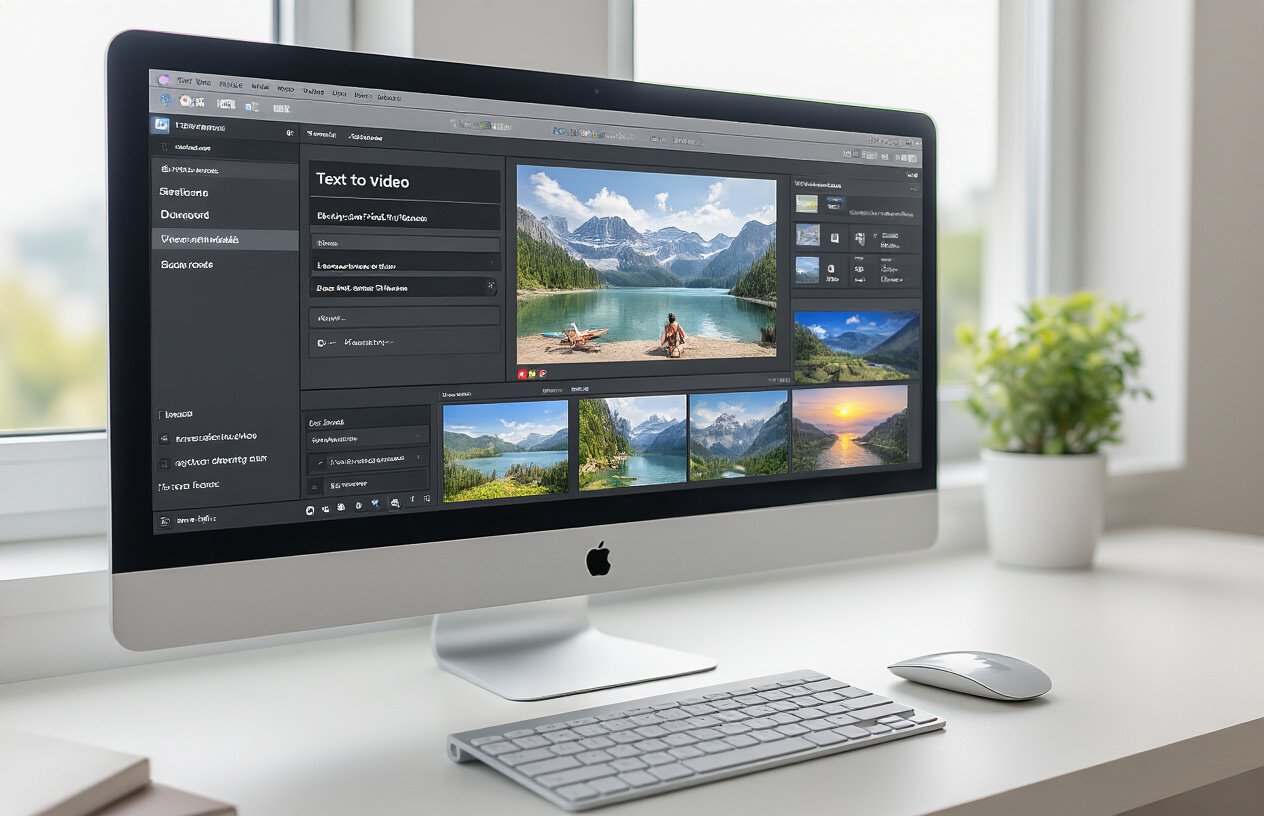
Getting started with your AI vacation film is surprisingly straightforward. First, access the tool through your web browser and create a free account. The interface welcomes you with a clean text input box where you’ll describe your dream vacation scenario.
Start by selecting your destination – whether it’s the sun-soaked beaches of Santorini, the bustling streets of Tokyo, or a cozy cabin retreat in the Rockies. The AI works best when you provide specific location details rather than vague descriptions.
Next, describe your ideal activities. Instead of writing “fun beach activities,” try “snorkeling in crystal-clear turquoise waters with colorful tropical fish” or “sunset paddleboarding with golden light reflecting off calm waves.” The more vivid your description, the better your results.
Include mood and atmosphere details. Words like “romantic,” “adventurous,” “peaceful,” or “energetic” help the AI understand the vibe you want. Don’t forget to mention the time of day – golden hour footage looks dramatically different from midday scenes.
Finally, specify any people in your video. Describe whether you want solo shots, couple moments, or group adventures. The AI can generate diverse characters that match your vision when you provide clear descriptions.
Optimizing text prompts for better video results
The secret to stunning AI-generated vacation videos lies in crafting prompts that speak the AI’s language. Think of yourself as a film director giving instructions to your crew.
Use action-oriented language that creates movement. Instead of “person on beach,” write “person walking barefoot along pristine white sand as gentle waves wash over their feet.” Active descriptions produce dynamic footage that feels alive and engaging.
Incorporate sensory details that paint a complete picture. Mention the “warm golden sunlight,” “gentle ocean breeze,” or “sound of seagulls overhead.” These elements help the AI create more immersive and believable scenes.
Color descriptions significantly impact your video’s aesthetic. Specify “deep blue ocean waters,” “emerald green jungle canopy,” or “warm orange sunset skies.” The AI uses these color cues to maintain visual consistency throughout your film.
Weather and environmental conditions add realism to your scenes. Include details like “light tropical breeze swaying palm trees” or “morning mist rising from mountain peaks.” These subtle touches make your AI-generated vacation feel authentic.
Keep your prompts focused but detailed. A single, well-crafted sentence often produces better results than lengthy paragraphs with conflicting information.
Customization options and style preferences
The tool offers several style presets that dramatically change your video’s look and feel. The “Cinematic” mode creates Hollywood-quality footage with professional camera movements and dramatic lighting. Perfect for those Instagram-worthy vacation memories that make your friends jealous.
“Documentary” style produces more natural, handheld camera footage that feels authentic and personal. This works great for family vacation videos or travel vlogs where you want that genuine, lived-in feeling.
The “Dreamy” preset adds soft filters and ethereal lighting effects, ideal for romantic getaways or peaceful retreat videos. Colors become more saturated, and everything gets a magical, almost fairy-tale quality.
You can adjust the video duration from quick 15-second clips perfect for social media to longer 60-second films for more comprehensive storytelling. Shorter videos work better for action-packed scenes, while longer formats suit peaceful, atmospheric content.
Aspect ratio options include standard 16:9 for YouTube, square 1:1 for Instagram posts, and vertical 9:16 for TikTok and Instagram Stories. Choose based on where you plan to share your creation.
The color grading options range from vibrant and saturated to muted and moody. Tropical destinations shine with bright, saturated colors, while mountain retreats often look stunning with more subdued, natural tones.
Export and sharing functionality
Once your AI creates your vacation masterpiece, downloading is a breeze. The tool generates high-quality MP4 files that work across all platforms and devices. No weird formats or compatibility issues to worry about.
File sizes are optimized for sharing without sacrificing quality. The standard export produces files around 50-100MB for 60-second videos – large enough for crisp visuals but small enough to upload quickly on slower connections.
Direct social media integration lets you post immediately to Instagram, TikTok, Facebook, and YouTube without leaving the platform. The tool automatically adjusts resolution and formatting for each platform’s requirements.
Email sharing options make it easy to send your creation to family and friends. The tool generates a shareable link that doesn’t expire, so people can watch your vacation film whenever they want.
For those who want to edit further, the exported files work seamlessly with popular video editing software like Adobe Premiere Pro, Final Cut Pro, or even free options like DaVinci Resolve. The clean export means you can add music, text overlays, or combine multiple AI-generated clips into longer films.
Cloud storage integration automatically backs up your creations to Google Drive or Dropbox, so you never lose your AI-generated vacation memories.
Real Examples of AI-Generated Vacation Films
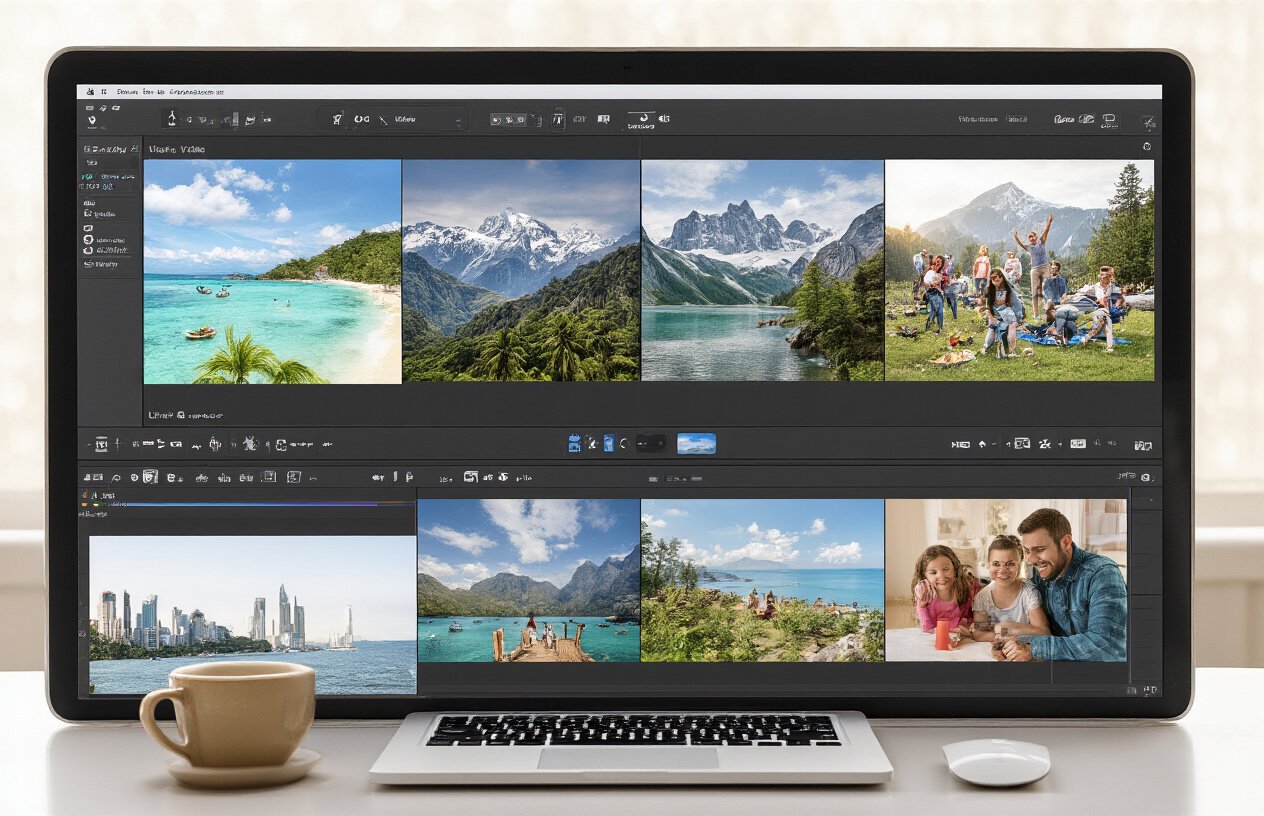
Beach vacation transformation results and quality analysis
Picture this: a simple text prompt like “Golden sunset on a pristine beach with palm trees swaying in gentle breeze” becomes a cinematic masterpiece in under a minute. Recent tests with leading text-to-video AI platforms have produced remarkable results for beach vacation content.
The quality analysis reveals impressive detail retention across multiple beach scenarios. Water movement appears naturally fluid, with realistic wave patterns and foam textures. Palm fronds sway with convincing physics, while lighting transitions during sunset scenes maintain color accuracy and atmospheric depth. Most platforms achieve 720p to 1080p resolution with 24-30 fps playback, creating smooth viewing experiences.
| Quality Metric | Performance Rating | Notes |
|---|---|---|
| Water Animation | 9/10 | Natural wave movement, realistic reflections |
| Lighting Effects | 8.5/10 | Accurate sunset hues, proper shadows |
| Object Physics | 8/10 | Convincing palm tree movement |
| Overall Coherence | 8.5/10 | Maintains scene consistency |
Mountain adventure videos created from text descriptions
Mountain landscapes present unique challenges for AI video generation, yet recent examples showcase breakthrough capabilities. Text descriptions like “Misty mountain peaks at dawn with hiking trails winding through evergreen forests” translate into stunning visuals that capture the majesty of alpine environments.
The AI excels at rendering atmospheric effects – morning mist rolling through valleys, cloud formations around peaks, and dappled sunlight filtering through forest canopies. Rock textures appear convincingly rugged, while vegetation looks appropriately wild and untamed. Camera movements feel natural, often incorporating subtle pans and gentle zooms that enhance the sense of scale and grandeur.
Notable successes include:
- Dynamic weather effects (fog, clouds, changing light)
- Realistic terrain textures and geological features
- Natural-looking vegetation and forest depth
- Convincing scale representation of mountain ranges
City exploration films generated in under 60 seconds
Urban environments showcase the AI’s versatility in handling complex architectural details and bustling street life. Prompts describing busy city squares, iconic landmarks, or vibrant nightlife scenes produce videos that capture the energy and character of metropolitan areas.
Street-level scenes demonstrate impressive crowd simulation, with pedestrians moving naturally along sidewalks while vehicles navigate roads realistically. Building facades render with architectural accuracy, maintaining perspective and proportional relationships. Nighttime city scenes particularly excel, with neon signs, street lighting, and window illumination creating authentic urban atmospheres.
The technology handles various urban scenarios effectively:
- Historic districts: Cobblestone streets, vintage architecture, period-appropriate details
- Modern downtowns: Glass skyscrapers, contemporary design elements, urban geometry
- Cultural quarters: Market scenes, outdoor cafes, street performers
- Transportation hubs: Train stations, airports, busy intersections
Processing times consistently stay under 60 seconds, even for complex urban scenes with multiple moving elements. The AI maintains visual coherence across different architectural styles while preserving the unique character that makes each city distinctive.
Maximize Your Vacation Video Results with Expert Tips
Writing Effective Prompts for Diverse Travel Experiences
Crafting the perfect prompt starts with being specific about your destination and desired mood. Instead of writing “beach vacation,” try “sunset beach in Santorini with white buildings and blue domes in the background, golden hour lighting, peaceful waves.” The AI responds better to descriptive language that paints a clear picture.
Break down your trip into distinct moments and experiences. For mountain adventures, specify whether you want “misty morning hike through pine forests” or “dramatic alpine peaks under stormy clouds.” Beach trips can range from “tropical paradise with crystal clear water and palm trees swaying” to “rugged coastline with crashing waves and dramatic cliffs.”
Include emotional context in your prompts. Words like “serene,” “adventurous,” “romantic,” or “energetic” help the AI capture the right atmosphere. For city breaks, describe the energy you want: “bustling Tokyo street at night with neon lights” versus “quiet morning in Parisian café district with cobblestone streets.”
Weather and time of day make huge differences in your results. “Rainy afternoon in London with reflective streets” creates entirely different visuals than “sunny London park in spring.” Always specify lighting conditions – golden hour, blue hour, overcast, or bright midday sun.
Combining Multiple Scenes for Comprehensive Trip Documentation
Building a complete vacation story requires planning your scene sequence like a movie director. Start with arrival shots – airports, train stations, or your first glimpse of the destination. Create establishing shots that show the broader landscape or cityscape before diving into specific activities.
Structure your video chronologically or thematically. Chronological works well for road trips: “Day 1: arriving in national park, setting up camp” followed by “Day 2: hiking mountain trail at sunrise” and “Day 3: lakeside relaxation.” Thematic organization groups similar activities: all food experiences together, all outdoor adventures in sequence, cultural sites as one segment.
Use transition techniques between scenes. Generate connecting shots like “car driving on winding mountain road” or “walking through hotel lobby” to create smooth flow between different locations. These bridge moments prevent jarring jumps between unrelated scenes.
Consider varying your shot types and perspectives. Mix wide landscape shots with close-up details like local food, architectural features, or cultural artifacts. Include people in some scenes and focus on pure landscapes in others. This variety keeps viewers engaged throughout the entire film.
Troubleshooting Common Issues and Limitations
Text-to-video AI sometimes struggles with complex human actions or interactions. If your prompt includes “family playing volleyball on beach,” the AI might create awkward movements or unclear figures. Simplify these requests to “family relaxing on sunny beach” or “beach volleyball net with ocean background” for better results.
Face generation can be inconsistent across multiple scenes. If maintaining character consistency matters, focus on wider shots or silhouettes rather than close-up portraits. Alternatively, emphasize scenic elements over people: “couple walking hand in hand at sunset” works better than “detailed faces of couple at sunset.”
Weather and lighting inconsistencies appear when your prompts lack specific atmospheric details. If one scene shows bright sunshine and the next appears overcast without intention, review your prompt descriptions. Always specify lighting conditions to maintain visual continuity throughout your video story.
Processing time varies significantly based on complexity and current server load. Simple landscape scenes generate faster than crowded cityscapes or complex action sequences. Plan accordingly if you’re working on tight deadlines, and consider generating simpler scenes first to test your concepts.
Advanced Features for Enhanced Video Quality
Resolution settings directly impact the professional look of your final video. Higher resolution takes longer to process but produces significantly better results for sharing on social media or showing on larger screens. Choose 1080p minimum for professional-looking vacation films.
Aspect ratio selection matters for your intended platform. Standard 16:9 works perfectly for YouTube and most social media, while 9:16 vertical format suits Instagram Stories and TikTok better. Square 1:1 format works well for Instagram feed posts but limits your storytelling canvas.
Duration control lets you create either quick highlight reels or longer documentary-style films. Shorter clips (10-15 seconds) work better for social media sharing and maintain viewer attention. Longer clips (30-60 seconds) allow for more detailed storytelling but require more engaging content to hold interest.
Style consistency features help maintain a cohesive look across all your scenes. Choose from preset filters like “cinematic,” “vintage travel poster,” or “documentary style” to ensure all generated clips feel like parts of the same film rather than disconnected random videos.
Color grading options can enhance the mood of your vacation film. Warm tones work beautifully for tropical destinations and sunset scenes, while cooler tones suit mountain adventures and urban exploration. Experiment with different color palettes to match your destination’s natural atmosphere.
Text-to-video AI has completely changed how we create and share our travel memories. You don’t need expensive equipment, editing skills, or hours of post-production work anymore. Just type in your vacation story, and watch as AI transforms your words into a professional-looking film in under a minute. The free tools we’ve covered make this technology accessible to everyone, whether you’re documenting a weekend getaway or a month-long adventure across Europe.
The examples we’ve seen prove that AI-generated vacation films can be just as engaging and memorable as traditionally shot videos. By following the expert tips we’ve shared and experimenting with different prompts and styles, you can create unique content that truly captures the spirit of your travels. Download the free tool today and start turning your next vacation into a cinematic experience that your friends and family will love watching over and over again.